I'm really grateful with the service CAD-Ray has provided! I'm also very happy with Laura's presentation with the Medit i700, and overall help in choosing the right scanner for my practice. I'm really happy with the scanner and the SprintRay Pro 95 P...read moreI'm really grateful with the service CAD-Ray has provided! I'm also very happy with Laura's presentation with the Medit i700, and overall help in choosing the right scanner for my practice. I'm really happy with the scanner and the SprintRay Pro 95 Printer as well. Thank you.read less - 8/31/2021
Pretty much echoing what everyone else has said. Frank DeLuca and the whole team at CAD-RAY are fantastic. The best customer service and support in dentistry, hands down, not even a close second. We are thrilled with our Medit scanner and will certai...read morePretty much echoing what everyone else has said. Frank DeLuca and the whole team at CAD-RAY are fantastic. The best customer service and support in dentistry, hands down, not even a close second. We are thrilled with our Medit scanner and will certainly be choosing CAD-RAY for any future purchases.read less - 12/30/2021
Ashley Guarisco
Cad-Ray's customer service has been amazing since day one! From getting a quote to setting everything up and doing my first scan. Everyone has been super helpful! Heather Gramley has been awesome, it's like having a tech in my back pocket! They offer...read moreCad-Ray's customer service has been amazing since day one! From getting a quote to setting everything up and doing my first scan. Everyone has been super helpful! Heather Gramley has been awesome, it's like having a tech in my back pocket! They offer tons of training videos and offer one on one training. I would 10/10 recommend them for all of your scanning needs!read less - 11/21/2022
Zachary Hickman
High quality scanner. Super fast. Have been happy with the support that Cad-Ray has offered. I really like the innovative technology that medit allows users to implement into their practice. - 10/13/2021
Great scanner (medit i500) and mill (coritec one). They were great for an open system that allows me to do just about anything. - 6/16/2020
Delicate Dentistry
Cad-Ray's support is truly exceptional. While the equipment represents a significant investment, the peace of mind that comes from knowing they stand firmly behind their products is invaluable. Their support team is efficient, professional, and remar...read moreCad-Ray's support is truly exceptional. While the equipment represents a significant investment, the peace of mind that comes from knowing they stand firmly behind their products is invaluable. Their support team is efficient, professional, and remarkably persistent in ensuring everything runs smoothly. I'm especially grateful to Destaney and Laura for their ongoing assistance- their dedication and expertise have made a world of a difference!read less - 5/15/2025
Ryan Anardi
Just ordered my i700 yesterday and it ships today. Customer support has been amazing in answering all my questions completely. Looking forward to my delivery day like a kid at Christmas. - 11/03/2021
I cannot say enough about the support I have received from the beginning. I chose CadRay ultimately because of the support reviews...I can attest first hand...they are all right on...though I have been practicing for more than 35 years, this old dog...read moreI cannot say enough about the support I have received from the beginning. I chose CadRay ultimately because of the support reviews...I can attest first hand...they are all right on...though I have been practicing for more than 35 years, this old dog has been taught a lot of new tricks from the support staff at Cad Ray...Truly impressed with every interaction so far! Thanksread less - 5/11/2023
Mark Gerome
When I bought my first scanner a few years ago I was blown away by CAD-RAY’s support! They do a great job of getting you and your team ready to go with it. Frank D. has been a huge help with getting us confident with our scanners and making sure we a...read moreWhen I bought my first scanner a few years ago I was blown away by CAD-RAY’s support! They do a great job of getting you and your team ready to go with it. Frank D. has been a huge help with getting us confident with our scanners and making sure we are taken care of. He and his colleagues at CAD-RAY are always a responsive to our calls. Thank you!read less - 2/21/2023
David Forrest
I have used a medit scanner i purchased from CAD-Ray for a few years now. I've had nothing but great customer service with them, and their facebook group is great for nearly instant feed back before the days end. I actually just bought another scanne...read moreI have used a medit scanner i purchased from CAD-Ray for a few years now. I've had nothing but great customer service with them, and their facebook group is great for nearly instant feed back before the days end. I actually just bought another scanner from them because they've been awesome to work with and have enjoyed the first one so much. I'm def a long term fan of theirs now.read less - 2/20/2024
robert delaney
This summer I decided that it was time to purchase a scanner and train with my team. We could not be more excited as our experience with Laura at Cad-Ray has been just amazing. From the initial sales discussions to the support and training after the ...read moreThis summer I decided that it was time to purchase a scanner and train with my team. We could not be more excited as our experience with Laura at Cad-Ray has been just amazing. From the initial sales discussions to the support and training after the purchase I am very thankful to have purchased my Medit scanner from Cad-Ray. Every text and phone call has been given prompt attention and the after the sale support is first rate. It is a pleasure to leave a 5 star review for both the technology and for Laura!read less - 12/16/2021
Shant Aharonian
Cad-ray has to be the best company to work with when it comes to digital dentistry solutions. Here are the reasons why: 1. Experience. Everyone in the company has extensive experience in dentistry. They have used all digital platforms and offer custo...read moreCad-ray has to be the best company to work with when it comes to digital dentistry solutions. Here are the reasons why: 1. Experience. Everyone in the company has extensive experience in dentistry. They have used all digital platforms and offer customers first hand experience. 2. Honesty. Based on their experience they share all the good/bad of different systems. They work with you to find a solution that works best for you. Not sell you the piece of the equipment that gives them the biggest commission. 3. Support. Cad-ray offers the missing piece of the dentist/digital manufacturer puzzle. Many other distributors sell you a piece of equipment but don’t have true day-to-day experience with that equipment. Cad-ray’s team openly share their expertise to help customers optimize their workflows with great technology. 4. Passionate. The Cad-ray team is extremely passionate about their craft. They truly believe in what they have to offer. I took Armen Mirzayan’s course on intraoral scanning and it was truly mind blowing. Armen’s insights will help any dentist optimize their craft. I purchased the full sprintray 3d printing ecosystem the help of Frank. I plan to purchase more equipment from cad-ray. Also, Jesse is a genius in regards to all aspect of digital workflows. I’m truly grateful for this company and everyone who I’ve worked with so far.read less - 10/07/2022
Jeff Muszynski
Fantastic customer service - 6/19/2020
LoAn Huynh
Erika is one of a kind! She truly is patient with me. She has gone above and beyond to help me every time I call her. We have a few locations and she is always prompt in her responses and always manages to find a solution for me. I wish every rep was...read moreErika is one of a kind! She truly is patient with me. She has gone above and beyond to help me every time I call her. We have a few locations and she is always prompt in her responses and always manages to find a solution for me. I wish every rep was reachable ALL THE TIME and helpful! Thank you Erika! ❤️read less - 6/04/2025
Sherif Gabr
I have been suing the Medit i500 scanner for a little over 2 months now and I have had great success. I have used it for implant cases, immediate dentures and single unit crowns.
What I like the most is that the software is continuously improving ...read moreI have been suing the Medit i500 scanner for a little over 2 months now and I have had great success. I have used it for implant cases, immediate dentures and single unit crowns.
What I like the most is that the software is continuously improving and adding new features.
You really can not ask for more than that! Great product, excellent support and a software development team that listens to their customers feedback!
Very happy with my purchase!!!read less - 2/26/2020
Our office has been really happy with the i700 scanner so far. It was really easy to set up and use after watching only, 1-2 of the videos Cad-ray has on the website. Training with Andy was a breeze! Looking forward to taking level 2 training soon. - 1/20/2022
Cad ray has been very nice to work with. Excellence service and support since I bought my Medit scanner - 6/16/2020
Jeff Johnston
Very Helpful, good company to work with. Always been there for me - 3/10/2017
H C
I got my 3Dshape scanner, great support , my training with Destany was excellent. Great team!! - 2/15/2024
Tara Ericson
Very pleased with the EXCELLENT support we have received from Frank DeLuca! Loving our new Medit so far, definitely more user friendly than our previous one. - 6/02/2022
Levy Do
I'm a repeat customer because Cad-Ray's customer service is fast, efficient, and no nonsense. The classes offered for training for particularly for the Medit is awesome and it comes included which is phenomenal. All the classes that I've gotten to at...read moreI'm a repeat customer because Cad-Ray's customer service is fast, efficient, and no nonsense. The classes offered for training for particularly for the Medit is awesome and it comes included which is phenomenal. All the classes that I've gotten to attend so far has been well organized and I left learning very practical things. Remote support team solves my problem right then and there. Recently I had an issue, and instead of me talking to a sales rep who doesn't know what to do, Kaila remoted in and got it fixed just like that. Thank you and great job guys!read less - 4/19/2022
John Pobanz
We had an outstanding experience purchasing two Medit scanners. The delivery was timely . The onboarding clean. Laura was dazzling with her acumen and quick solutions . We highly recommend the investment in Cad Ray .Pobanz Orthodontics , Ogden Utah :...read moreWe had an outstanding experience purchasing two Medit scanners. The delivery was timely . The onboarding clean. Laura was dazzling with her acumen and quick solutions . We highly recommend the investment in Cad Ray .Pobanz Orthodontics , Ogden Utah :)read less - 12/10/2021
John T
Frank and the CAD-Ray crew are awesome! They are always available for support with the technology you purchase from them. - 1/25/2023
Shahnam Shifteh
I just ordered my i700 and am
Very excited to get into the digital world of dentistry and Nick was extremely helpful with answering any questions and helping to put the order together. - 12/09/2021
This scanner is amazing! It’s hard to believe that it is less then half the price of 3 shape with zero yearly charges. I highly recommend you give it a try! - 10/09/2019
Armen Mirzayan's knowledge base sets CAD-RAY.COM apart from all other digital dental-equipment dealers. Not content with linking manufacturer support content, Armen's team provide instant feedback to any equipment queries, in-depth video tutorials, a...read moreArmen Mirzayan's knowledge base sets CAD-RAY.COM apart from all other digital dental-equipment dealers. Not content with linking manufacturer support content, Armen's team provide instant feedback to any equipment queries, in-depth video tutorials, and regular product testing, streamlining, and pushing the boundaries of their products - be it software, hardware, or connectivity between various brands. I highly recommend this team if you want to fully utilise your equipment and have the backup needed going forward!read less - 11/05/2019
Whatever digital workflow addition you want to add to your dental practice look no further than Cad-Ray. Top notch support and training. - 1/29/2023
Lake Shore Dental of Tempe
Absolutely the best customer service I have ever seen. I couldn't be happier with the service received. I won't be going anywhere else!! Thank you again. - 2/01/2022
Ma. Teresa Santana
Best support and customer service ever! My scanner is long past warranty and they still answer all my questions. When it's time to upgrade I'll be buying from them again. A friend bought same scanner from another vendor and got zero support. I had to...read moreBest support and customer service ever! My scanner is long past warranty and they still answer all my questions. When it's time to upgrade I'll be buying from them again. A friend bought same scanner from another vendor and got zero support. I had to help them. Told her next time buy from Cad Rayread less - 5/10/2024
Ponciano Melo
If your planning to buy dental oral scanner look for Jon. He will give you a great deal. He is very friendly and knowledgeable about the advantage of Medit I500. AGAIN, Don't forget to look for Jon for your next oral scanner. I highly recommend this ...read moreIf your planning to buy dental oral scanner look for Jon. He will give you a great deal. He is very friendly and knowledgeable about the advantage of Medit I500. AGAIN, Don't forget to look for Jon for your next oral scanner. I highly recommend this guy.read less - 1/09/2021
ed borio
I was dragging my feet before purchasing my first scanner because I was apprehensive of the effort required to change to a digital workflow. Laura assured me my fears were overblown and because of her patience and exceptional training abilities it h...read moreI was dragging my feet before purchasing my first scanner because I was apprehensive of the effort required to change to a digital workflow. Laura assured me my fears were overblown and because of her patience and exceptional training abilities it has been a rewarding and relatively seamless transition to the world of scanning. I never dreamed implementation would have been this easy and its attributed to Laura's skillful training ability. The scanner is wonderful and powerful, but we would have never been able to unlock its potential without her assistance.read less - 8/31/2021
These guys are great. Always available and helpful. My scanning issues were dealt with quickly and courteously. - 10/01/2021
Stephen S
Choosing an digital intraoral scanner these days can be quite a daunting task. When I reached out to CAD-Ray, as was recommended by many colleagues, I was connected to Frank DeLuca, and he made my decision-making process very simple. Upon receiving...read moreChoosing an digital intraoral scanner these days can be quite a daunting task. When I reached out to CAD-Ray, as was recommended by many colleagues, I was connected to Frank DeLuca, and he made my decision-making process very simple. Upon receiving my 3shape Trios 4 scanner, Frank and the entire tech support team/customer service were very helpful every step of the way. Frank makes himself available when he can in order to address all of the questions I have regarding the digital workflow. I highly recommend CAD-Ray. It will make your transition to digital scanning a positive experience.read less - 1/24/2023
Daniel Kim
CAD-Ray's online resources and customer support has made my Medit scanner implementation possible without the need for any hands on training. They are full of resources and have expert knowledge. - 7/01/2021
Meridien Dental
Got my Medit scanner from here. Purchase went very smoothly. Best part is the on going support. Cad-ray team is great with training and ongoing help if your scanner has hiccups here and there with various updates. - 12/11/2023
Christopher Chin
This was my intro into intraoral scanning and I did research for quite awhile. The i500 and the team at Cad Ray are top notch. The company has done such a great job putting this scanner in the ranks of the premier ones. With constant updates it gets...read moreThis was my intro into intraoral scanning and I did research for quite awhile. The i500 and the team at Cad Ray are top notch. The company has done such a great job putting this scanner in the ranks of the premier ones. With constant updates it gets better and better (though I’m still behind on updates). My crowns have never been better. They drop right in with no models. I didn’t believe it but I’m loving digital dentistry. I can’t wait to go to the class after COVID calms down!read less - 6/16/2020
Fantastic class. Amazing scanner.Cad Ray has been helpful not only with my purchase of the Medit i500, but every step of the way.Level 2 seminar with Armen and Damien was extremely informative, useful and practical! ⭐️⭐️⭐️⭐️⭐️ - 8/08/2021
Chirag Vaid
I ordered my Medit scanner from them in Feb 2020, so far no issues with support or the product. They are a great company with great support. Disclosure: they did promise me a scanner tip for this review, but in all honestly I was meaning to give it t...read moreI ordered my Medit scanner from them in Feb 2020, so far no issues with support or the product. They are a great company with great support. Disclosure: they did promise me a scanner tip for this review, but in all honestly I was meaning to give it to them anyway.... if you are looking to buy, this is a great way to go about it.read less - 7/19/2020
Geoff Seuk
Best service and support. Period. The product I purchased (Medit i500) is fantastic, but integrating it into my practice has been super smooth because of the support from Cad-Ray. They not only answer the phone with REAL people, but those people ACTU...read moreBest service and support. Period. The product I purchased (Medit i500) is fantastic, but integrating it into my practice has been super smooth because of the support from Cad-Ray. They not only answer the phone with REAL people, but those people ACTUALLY want to help you. Kind of a novel concept in this day and age. Definitely the best customer service I've experienced from an equipment dealer, and I've purchased equipment from just about all the big companies. Will definitely purchase from them in the future. I highly recommend them.read less - 8/07/2022
Thuy Nguyen
CAD-Ray is amazing! Prompt replies, quick delivery, knowledgeable team! I had some cracks on my scanner that I read on their FB group may be a manufacturer's defect. My scanner was still covered under warranty. They overnighted a brand new one to me ...read moreCAD-Ray is amazing! Prompt replies, quick delivery, knowledgeable team! I had some cracks on my scanner that I read on their FB group may be a manufacturer's defect. My scanner was still covered under warranty. They overnighted a brand new one to me before I even knew they were going to replace it! That's how quick they are! Highly recommend them!!!read less - 12/23/2021
W Timothy Brooks
Excellent fast color scanner. A great improvement over my old proprietary scanner. Easy to learn software and great free technical support. - 6/18/2020
will never buy any product they offer from any other company regardless of price. this team is the best and incredible. - 6/05/2022
Eric Reum
I bought a i500 almost a year and a half ago. Sadly it ran into an issue with the cord after over a years use. Cad-ray was extremely quick to diagnose the issue and also send a replacement scanner. The quality and ease of scanning has been great! Als...read moreI bought a i500 almost a year and a half ago. Sadly it ran into an issue with the cord after over a years use. Cad-ray was extremely quick to diagnose the issue and also send a replacement scanner. The quality and ease of scanning has been great! Also very happy with the customer service.read less - 6/02/2022
Brian Jaques
After weeks of research I purchased the i700 through Nick at cad-ray. My office has never used a scanner before and despite the great pricing, this was still a major purchase for me. Nick was incredibly helpful guiding me through the process while an...read moreAfter weeks of research I purchased the i700 through Nick at cad-ray. My office has never used a scanner before and despite the great pricing, this was still a major purchase for me. Nick was incredibly helpful guiding me through the process while answering my many questions. The customer service was very responsive and my friends who have purchased medit scanner were correct that this is the way to go. 5 Stars!read less - 5/08/2021
Matt Reith
Love my Medit! Can’t beat the quality, and the price is even better! Also, great people who are always willing to help! - 6/16/2020
Michelle Duong
Our office is new to using the Meditscan so far we love it. Our rep andy was so detailed and great with the training. Everything has been good so far and easy. Defenitely recommend. - 9/23/2022
I always have enjoyed working with Cad-ray. Customer service is always on-point! - 5/25/2022
ryan ku
I've been using this for almost 2 months now and I just love it. At this price point, ROI is a no-brainer. The convenience factor is amazing. I only did the DIY online training and I'm pretty confident doing the scan. I've signed up for the actual ...read moreI've been using this for almost 2 months now and I just love it. At this price point, ROI is a no-brainer. The convenience factor is amazing. I only did the DIY online training and I'm pretty confident doing the scan. I've signed up for the actual course so looking forward to seeing it's greater potentials.read less - 10/14/2019
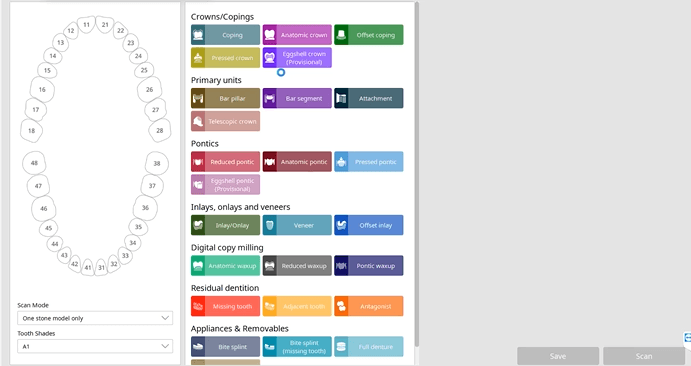
In this video we showcase the set up page of the Medit i500 Lab Version for software version 2.1, where you define the job description, enter parameters, designate the opposing and proceed to the next step where you launch the imaging software.
Captured Impressions While Patient Was Reaching Anesthesia
While the patient was reaching anesthesia, the opposing arch was captured along with the preparation model. The area to be prepared was cropped out and once enough reduction was achieved the bite was captured. We highly recommend that you verify reduction and adequate clearance before you capture the final preparation. This way, you have one last ditched effort to verified you will have adequate thickness to your restorative material.
One of the biggest challenges of capturing a bite for an occlusal appliance is to properly tripod the upper arch to the lower arch. With PVS impressions we just send the impressions along with the patient’s bite registration in maximum intercuspation.
A unique advantage we have with digital impressions is that we can capture someone with an open bite while using their own mouth as the articulator. Moreover, with the following technique, you can rest assured you have little adjustments to make to the occlusal guard after it has been fabricated.
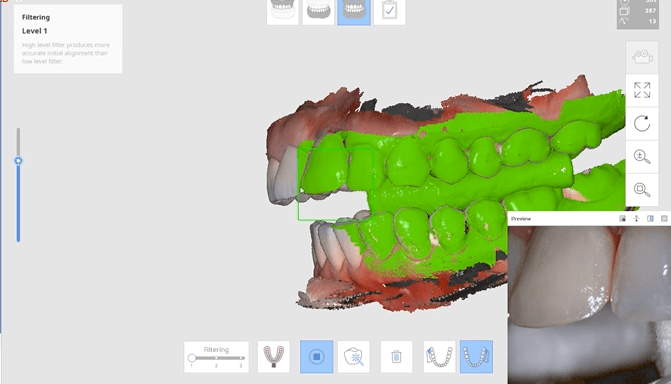
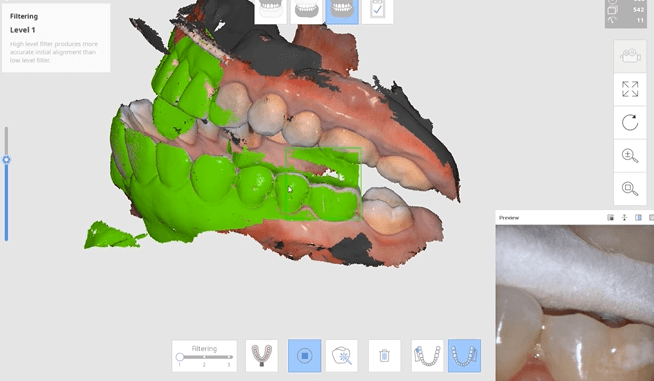
Now as we continue to image in the same catalog box, we can gauge if we are on track as the bite model turns green. Notice how when we move from the upper arch to the lower arch, across an open bite, and we maintain a green active box and green model formation, we can rest assured that our case is mounted correctly.
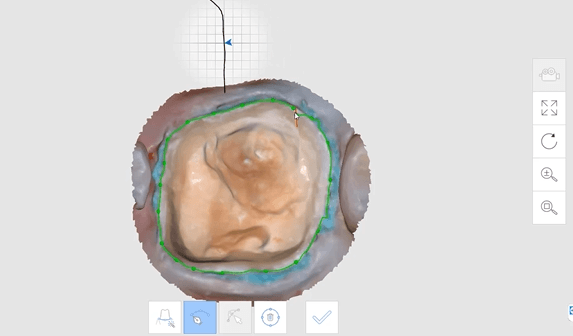
The new Medit i500 software will feature the ability to mark margins in the imaging step before you import the case into a CAD software or send it to the lab. In this article we showcase a case where a 12 year old implant crown needed replacement. The pre-op images were captured, along with the opposing and the bite.
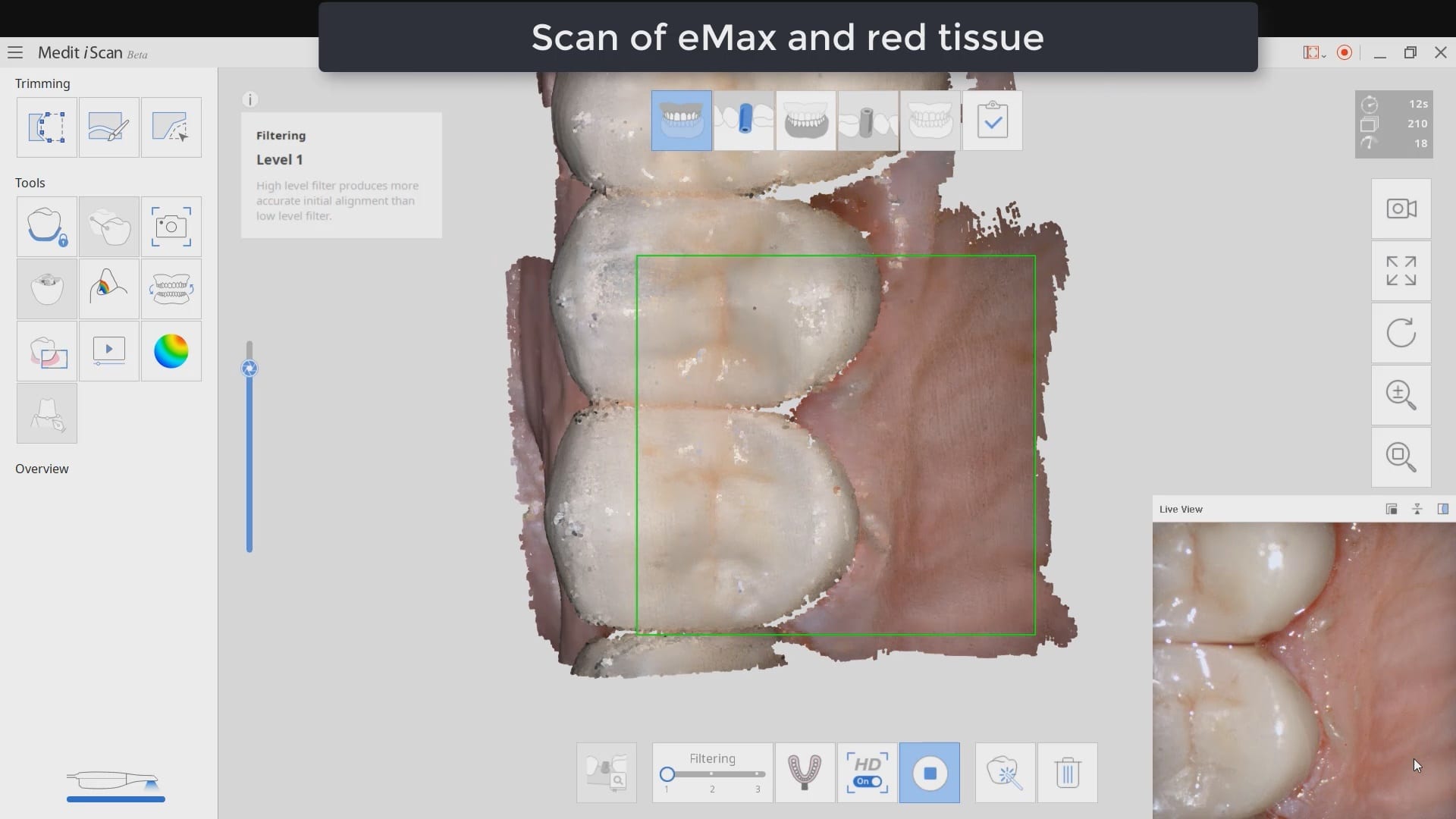
After the area was anesthetized and the crown was removed, expasyl was used to achieve hemostasis and tissue retraction. The margins of the abutment were imaged. Note how we used a feature in the Medit scanner to change the scan light from blue to white, which allows you to pick up red (blood and tissue) that is normally difficult to capture.
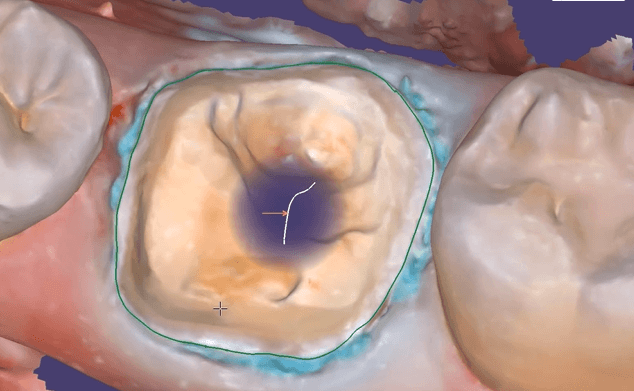
Once the margins were captured, we activated the margination tool. You highlight the area you want to address and the meshwork is calculated and processed locally, where you can then designate your margins that are exported to CAD software along with the jaw model, the opposing, the pre-op and the bite.
Alternatively, the traditional way would be to not place the margins in the native Medit software and to place it in the CAD software itself. As you can see both options are very viable and you do not lose any resolution of the scanned data between the imaging program or the design software.
There are multiple ways one can capture the bite for a patient. In this clinical case, we focus on the easiest way to capture two bites (one in maximum intercuspation and the other in an opened vertical dimension and in protrusive for a sleep apnea oral appliance).
The Medit iScan software allows you to capture two bites. Most people treat them as “Left Bite” and “Right Bite”, but the software doesn’t care if you follow this guideline. You can capture full arch bites in maximum intercuspation in one catalog box and then capture a full arch bite in the open / protrusive position in the second bite.
The next step is to clone or duplicate the case, where you set the first desired bite and process the case manually in maximum intercuspation and then in the second cloned case, you manually set the bite to the different occlusal scheme. As our users advance in their experience and knowledge level, they clone the same case multiple times so that they don’t have to re-image the upper and lower jaws multiple times and just capture different bites in all the different case files.
Our super advanced users image multiple bites in any folder they want, process it, and use that digital model to related the jaws together to any position they want in a CAD software like exocad.
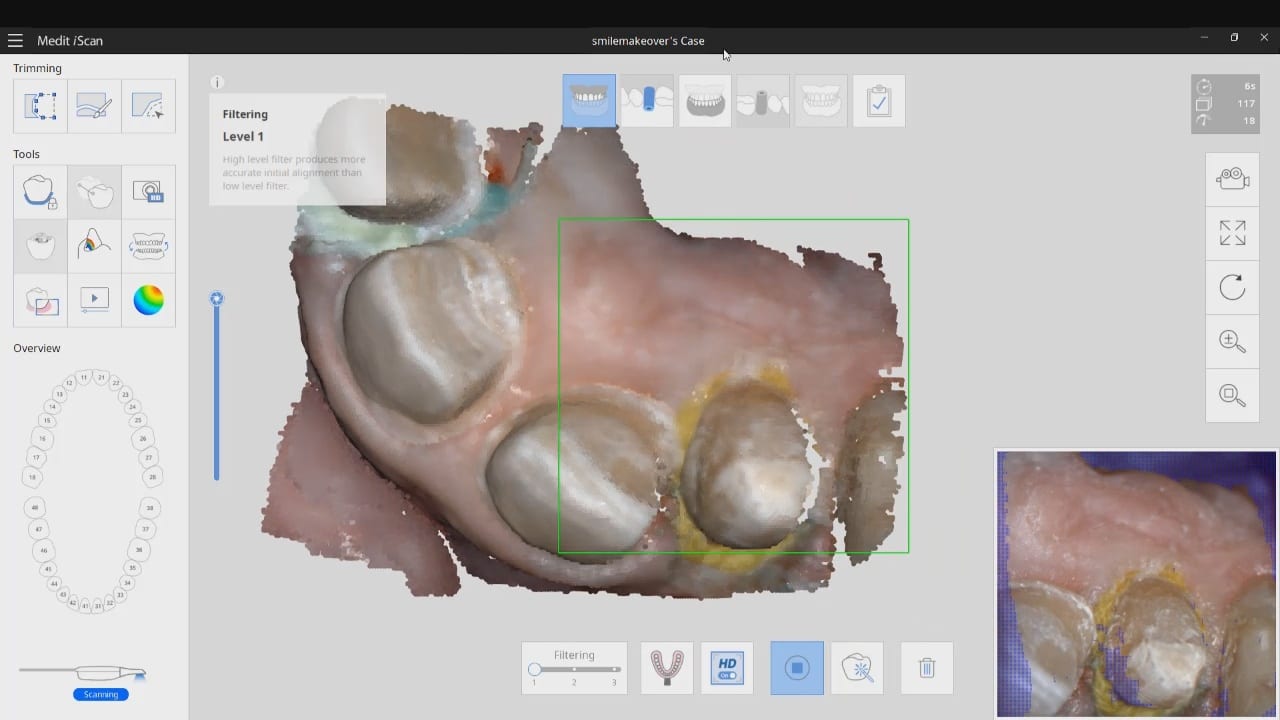
The Medit i500 intra-oral scanner has two different software programs to operate, one is of which is geared towards clinical dentistry and the other is geared towards laboratories. Our advanced users are encouraged to use the lab version as it has a lot more functionality. One of them is to directly link to exocad software.
In this particular preview we show you the interface where you can launch the iScan program and define the work order and set all the parameters for your restorations.
Once all the settings are chosen, you launch the Medit scanner and image the case. Here, we defined the custom abutment for the crown and the opposing, which activated the catalog box for the antagonist, the arch, the scanbody, and the buccal bite. All respective images were captured.
Once the implant type is identified then you can design the abutment and crown with great control, where you can contour the underbelly of the abutment to help provide tissue support.
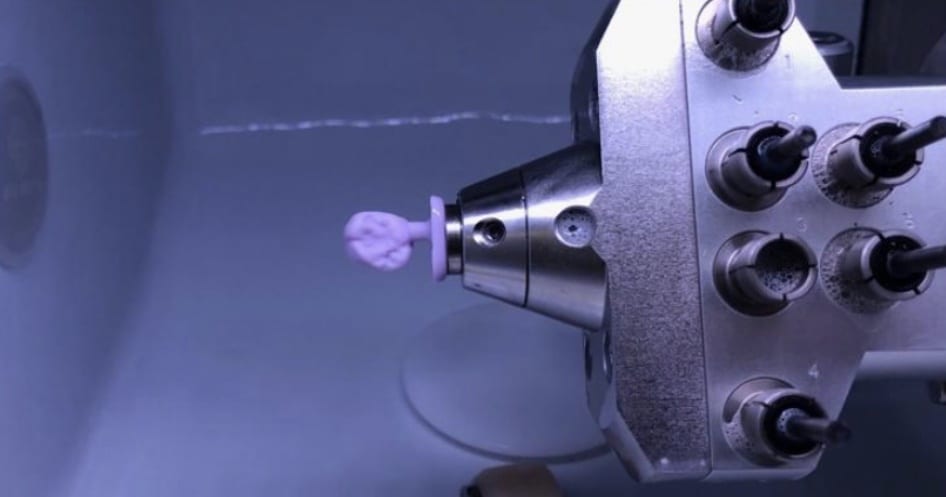
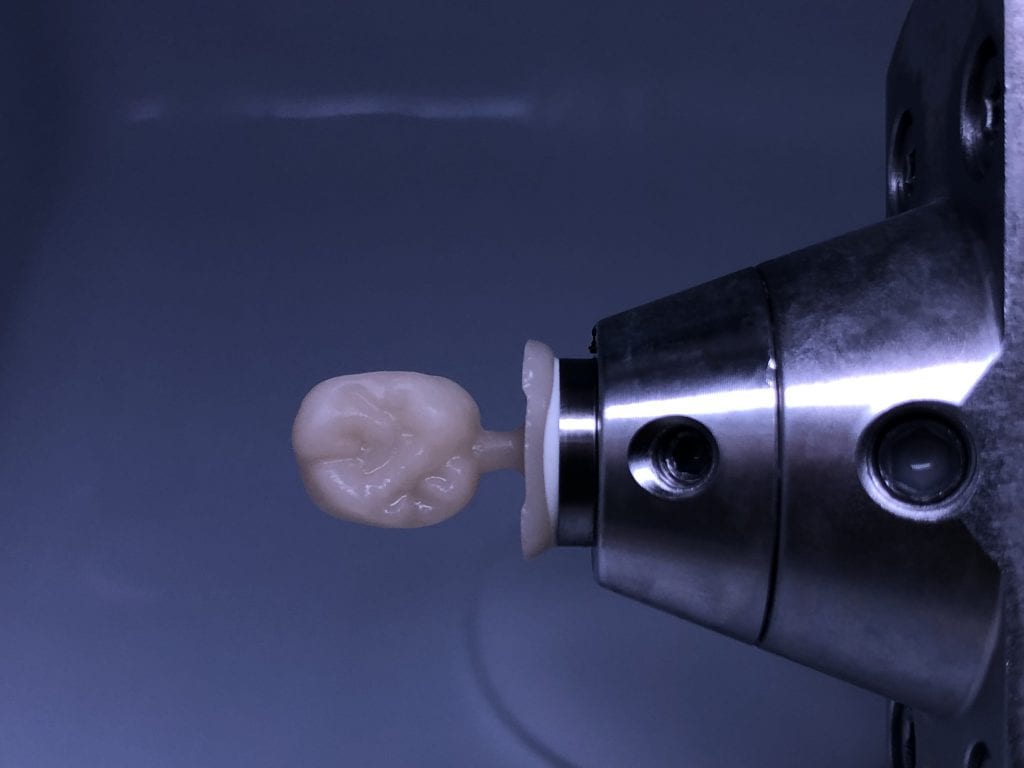
The design and the construction file is taken to the milling machine. Here, we used the CORiTEC ONE to mill the titanium abutment and then the Lithium Disilicate crown. You can see the great internal adaptation when the crown and the abutment are flipped around completely and the abutment does not fall out.
The Medit i500 software can now identify a scanbody and digitally place a virtual one in its location. This has a lot of ramifications. For starters, this great opportunity affords a dentist the ability to image multiple implants in long span edentulous areas, where you would have a clear indication of distortion or artifact introduced during challenging scans.
In this single unit case in the video below, we preview this feature. Once the patient is anesthetized, the isolite was placed to protect the airway and the edentulous area was scanned.
After uncovery of the fixture, the type of scanbody was identified in the menu and the location of the scanbody was identified on the digital model.
Once scanning was resumed, the digital scanbody was placed on top of the intra-oral one. As more data was captured you can appreciate how steadily the software tries to adapt the physical fixture to the digital one.
This case shows the amount of control one can have over the fit of a restoration. The upper right first molar was imaged with the Medit i500 and then imported into exocad design software. Once the margins are marked, the user can then define parameters that affect the fit of the restoration.
The diameter of the drill can be taken into consideration; in the design, 1.0 mm was chosen, but ultimately, we used the 0.6 mm bur to mill the intaglio of the emax restoration. The cement gap can be controlled as can the distance from the margin where it takes effect. The minimum thickness parameter also reinforces the material at the margins which will reduce the chances of chipping and ditching at deep chamfer margins. All of this translates into well fitting restorations with little space needed for the resin. That ultimately translates to easier clean up.
The case was milled using a few different materials and at varying speeds to see how thin the margins could be handled and how much detail the 0.6 mm burr can carve into emax and the glass ceramic material
This is an advanced case and won’t make any sense unless you have taken our course on digital dentistry. If you are an advanced user, watch how we break this complex case up into many small manageable segments to create full arch impressions of multiple prepared teeth.
Take note of the fact how the buccal bite is captured over a long course of time. This indicates that the arches are related to each other properly and we have not lost track of the bite. Pay attention to how we operate “independent of time and sequence.”
Digital impressions have turned one of the most complicated and error prone procedures in dentistry into one of the most predictable treatments we can provide.
When taking a physical impression of an impression abutment, you need to secure it to the PVS material so it remains rigid during pour ups. Some choose open trays while others prefer closed trays. When you deal with multiple units, their divergence or convergence can inadvertently lock the tray in the patient’s mouth. Sometimes, the impression abutments impinge on each other and keep you from seating them all the way.
That was a short list of the many things that can go wrong. With a digital impression, you can capture the contacts or the adjacent teeth, the opposing, and the tissue profile very easily. You can then place a scan-body and take an impression of it’s position and identify the location of the fixture.
In the following videos you can see the steps involved and how easy it is to manage the impression and accurately capture the implant location.
In titanium blanks, there is only one place to put the sprue, which is on the occlusal. One might think that this is would be easier to manage, but the trouble is that the titanium blank is cylindrical in shape, and it makes it difficult to keep track of the implant hex position and proper indexing.
There is one important matter to keep in mind when digitally designing an implant abutment for milling from a pre-milled blank. Unlike regular restorations you can design a restoration in (CAD software) and position it in a block , place a sprue in a desired position, and mill (CAM software) the final product.
The solution is to provide data to the milling machine so that it can properly index the titanium blank. To keep it simple, a regular restoration can just be milled from a designed stl file. The titanium pre-milled blanks need accompanying files to the designed stl to properly mill the abutment for indexing purposes. In exocad software, there is a construction file that accompanies the design and the CAM software can read both files and produce a desired result.
In all of our courses, once every user gets comfortable with the software and the camera, we quickly ramp up to reveal the greatest advantage of digital impressions over analog ones. The premise is that digital impressions can create models of data (note the deliberate omission of words like teeth, tissue, etc.) that are independent of time and sequence, and moreover, you can edit or manipulate the captured information.
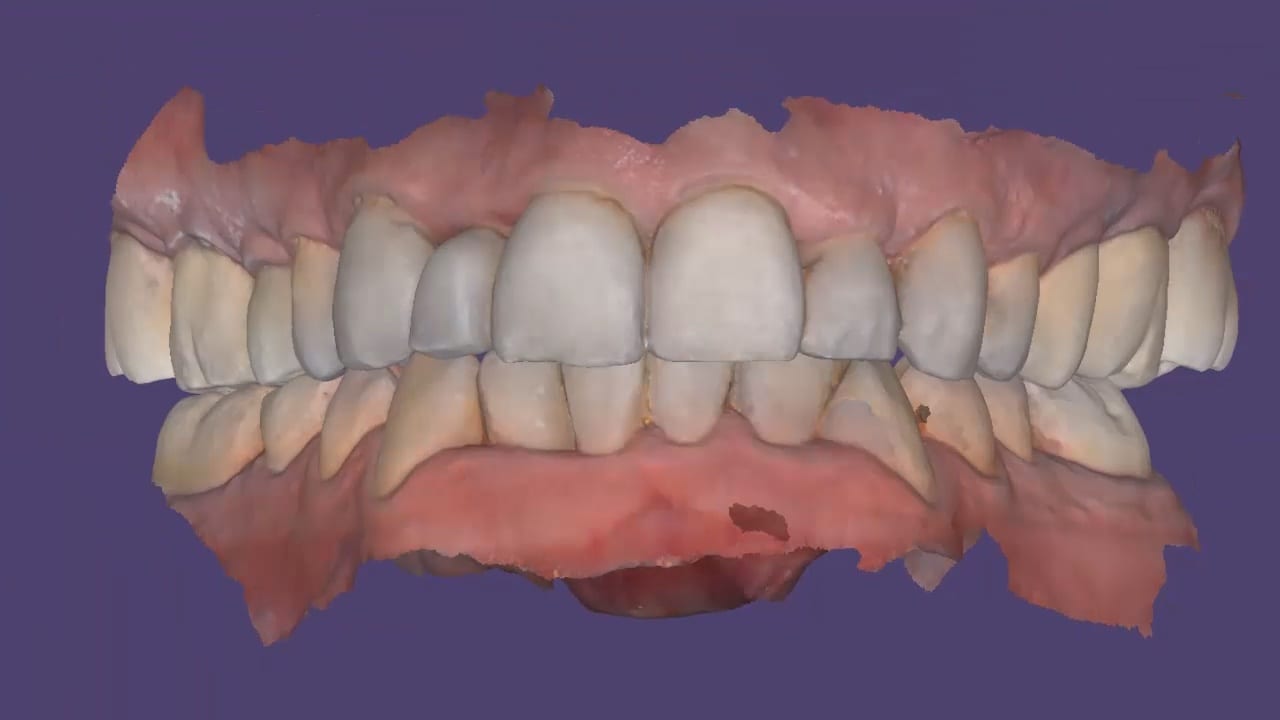
In this particular case, we demonstrate how the upper anterior eight were prepared and how the preps were captured over an extended period of time. You can appreciate how one case protect margins and preparations from introducing subsequent errors. You can also visualize how you can create models without following a certain pattern.
Once you understand this concept, you can apply multiple ways to tackle the most complex and comprehensive cases and treat them with ease. We would love to host you at one of our courses to teach these principles and how you can take ANY intra-oral scan from any device, take it to CAD software, and take it to ANY milling machine you want. Oh yeah, we can also teach you how to introduce CT data into the mix from any machine to handle an even bigger case.
Click on our courses and events to see future courses. We’ll be adding more dates very soon.
Separate from how we imaged the arches, we think the perfect place to “hand off” a case like this is when you have mounted your upper and lower jaws, the opposing, marked margins, and set the path of insertion. At this point, as a clinician you have provided all the information needs to proceed with the case.
In this simple first molar case, we scan the pre-op condition as there is no room to add any contours to the pre-existing crown. In the video below, you can see how it occludes with the opposing and how it contacts the adjacent teeth. A pre-op scan is taken and the crown is removed. Images of the recurrent decay are taken and the preparation was modified. Final impressions were taken after tissue retraction and hemostasis.
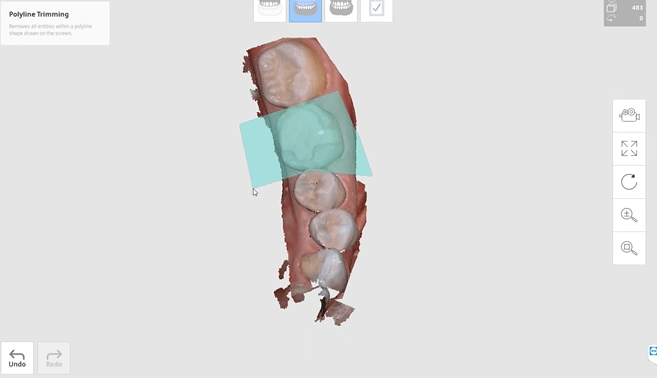
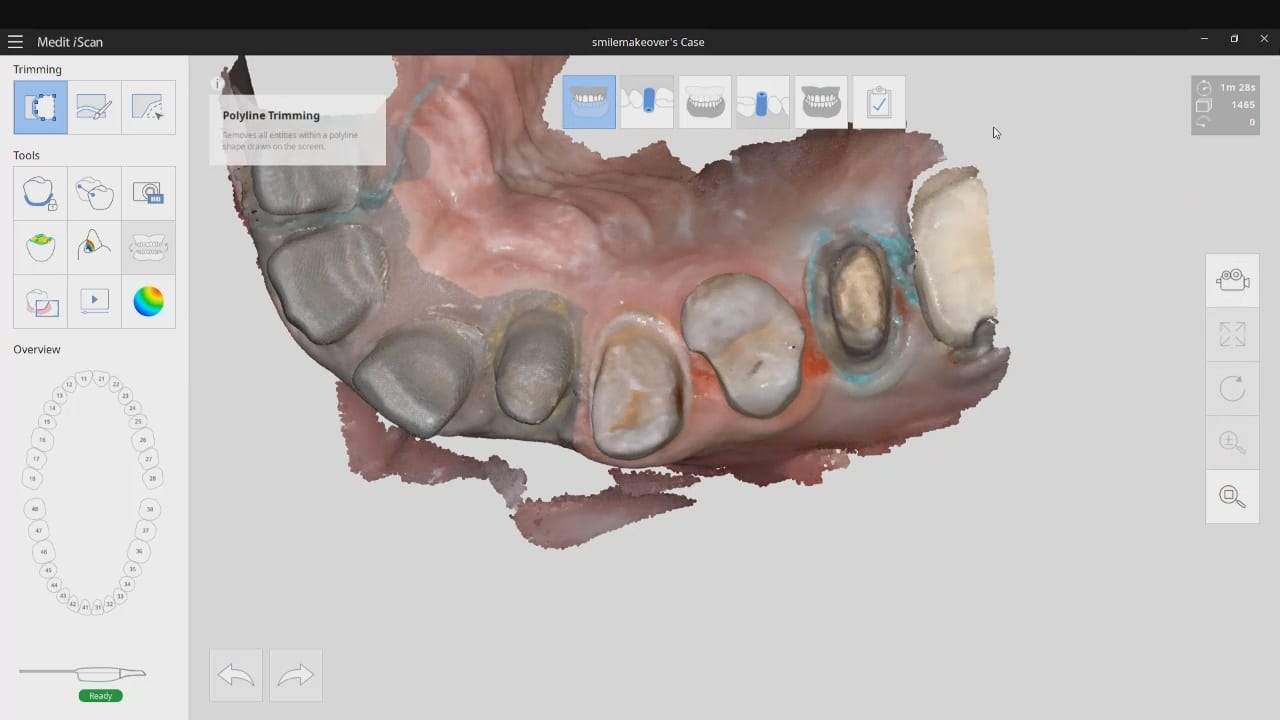
The pre-existing condition must be trimmed away and you want to keep only the areas you want to make contact with in the proposal. This simple method gives you instant proposals where you only modify the contact areas and proceed to production
In just under a decade, we have turned dental implants from the most risky and stress inducing procedures we can perform both surgically and restoratively into one of the most predictable procedures we can perform while drastically reducing the cost of care, whether you fabricate the prothesis yourself or outsource it to a lab.
With guided surgery, the benefits are immeasurable. One good argument is that clinicians can avoid certain surgeries while discovering physical limitations during the planning stage. Furthermore, if performed fully guided, once can generally place the implant exactly where it was digitally planned in 3D on a CT scan.
Restoratively, we also have some tremendous advantages; whether you are performing single units or multiples, digital impressions give you an advantage you never had with physical impressions. In this first video, we emphasize how you and your team should take picture of the scanbody that is being used during the digital impression. It is very easy for you or the lab to mistakenly label digital impression in the design software.
The great benefit of digital impressions is realized when you can capture all of the contact areas of neighboring teeth. Furthermore, you have the ability to digitally sculpt the soft tissue and create the emergence profile for your abutment. When you take the soft tissue profile, the position of the head of the implant, and the contacts of the adjacent teeth into consideration in your design, you stack the odds of a successful restoration into your favor
This case demonstrate some advanced features our CAD-Ray software provides for CAD/CAM users. We first launch meditlink and define the prescription. You can take your time and input your selection at this step, BUT we give you the opportunity to edit it when you launch the CAD software.
You will note that after the imaging is done, the CAD software is launched which allows us to change the job definition. You have two choices for utilizing the pre-op condition with our software; you can either use the pre-op as a reference frame for your design or you can copy it exactly as a replica. The latter is called “Digital Wax-Up” for exocad users.
What we have done is to program the software and its wizard to get you from the model step to instant proposals after you place your margins. We guide you through the steps and ask you to trim away anything you don’t want your proposals to replicate and to only leave behind a shell of the exact form and function you want to keep in your proposals. This instant proposal is a dream for most dentists. It is the quickest way you can get to a design and to fabricate a restoration
At any given time, we are milling restorations with 3 or 4 milling machines. Recently, we designed a restoration with the Medit i500 scanner, designed in exocad, and milled with a chairside mcxl cerec milling machine. Here are the steps we took to do this:
You may have to install some .net framework files from Microsoft. It’s generally an automated installation
Once installed, make sure to have your milling machine turned on and connected. A lot of the functionality is closed if your machine is not on and connected to the PC with the software.
We had to follow certain steps in sequence to get this to work. We had to activate the license in a pre-installed CEREC software and then move that thumbdrive to the machine where the inlab CAM was going to be installed
You can contact Mr. Milos Gedosev who runs DentalCADCAM in Germany and has earned a great reputation over two decades if you have any questions.
In this video we demonstrate how to capture implant impressions of scan bodies intra-orally with the medit i500 scanner and then design a screw retained crown with our customized CAD-Ray software.
The sequence of steps for a new user are critical. Although it doesn’t matter if you image the opposing arch first or after the arch that is being restored, the steps to capturing the scanbody must be followed in chronological order. You must capture the arch and then the scanbody impression. You should not return to the arch catalog box and add any more data. This can introduce a lot of error in the processing steps
In this video you can appreciate the distinct advantage you have tissue training on a digital model. You can contour to the soft tissue very easily. It is best to do so after you have identified the scanbody, which will pinpoint the location of the fixture. Once you have that in the equation, you can sculpt your tissue to your liking, making sure your abutment margins never drop apically below the head of the fixture
Second molar can often be a difficult clinical case to manage. In this case, we diagnose a cracked tooth. Even though the patient is not symptomatic, the clinical condition and the wear on the second molar dictated a full coverage restoration. In the first video, you can see how the light test was used to show the abrupt transition and lack of light propagation through the second molar
In the second video, you can see how we imaged the pre-existing second molar in the pre-operative condition. Once the patient was completely numb, the second molar was reduced
In this particular case, we demonstrate an emax restoration fabricated with the Z4 milling machine by VHF. In the first video, you can see how the case was set up initially within the software. You will notice how we image the preop, image the opposing and can even image the bite out of sequence, all while the patient is being anesthetized.
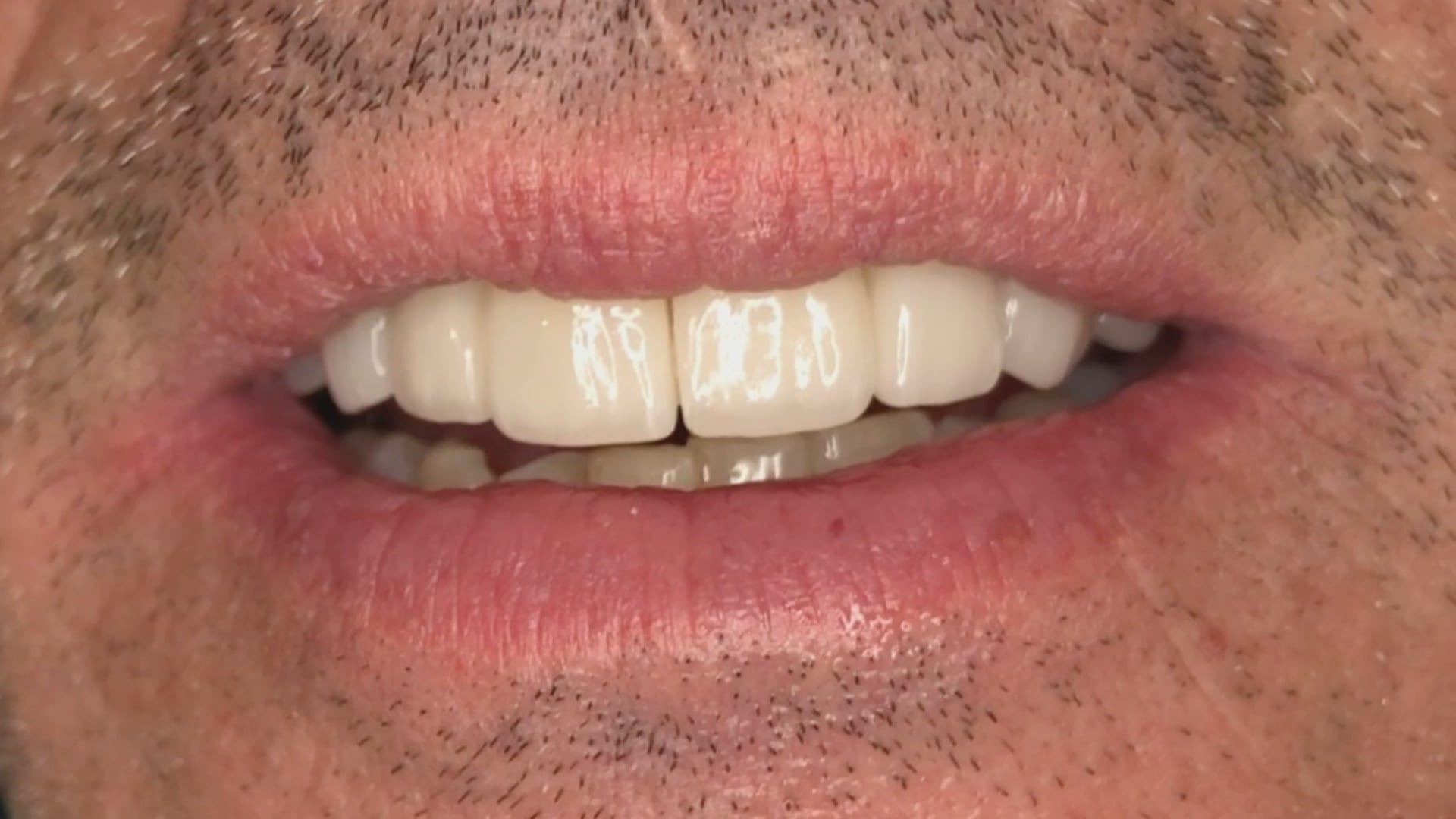
Once the preparation is captured, we place the margins and design a crown in exocad. The emax is milled, tried in, and them placed in the oven for crystallization. It is then delivered to the patient. Note how the decay at the contacts of the adjacent teeth was drilled out and restored, while the crown was milling / crystalizing. An immediate post op x-ray was taken to make sure there was no resin left behin
The Z4 Milling Machine can drill emax, zirconia and metal abutments. You can use a scanbody, identify the location of the fixture, design the abutment and mill our either ceramic or metal as the abutment.
Metal abutments in the posterior molar areas, tibases in canine and premolar regions, and angled abutments in incisor area is the general consensus for restoration of choice
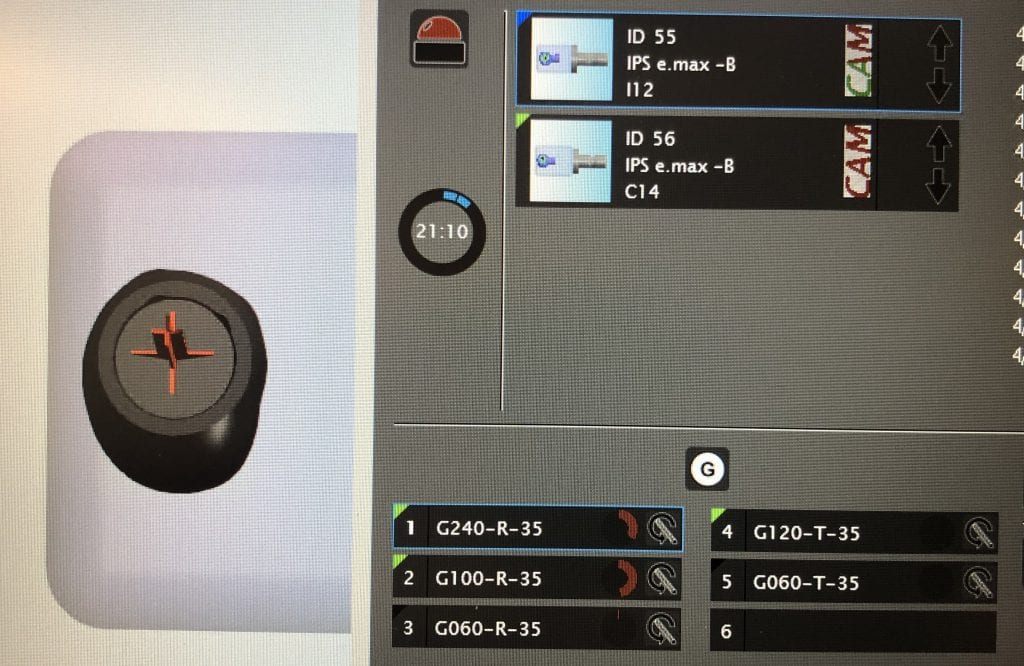
One of the greatest advantages of the Z4 is that it can start milling while it is doing the calculation for milling. Furthermore, you can load multiple designs in preparation of continuous milling. In the picture attached, the CAM software is shown which operates in the background. Most users don’t usually see this interface.
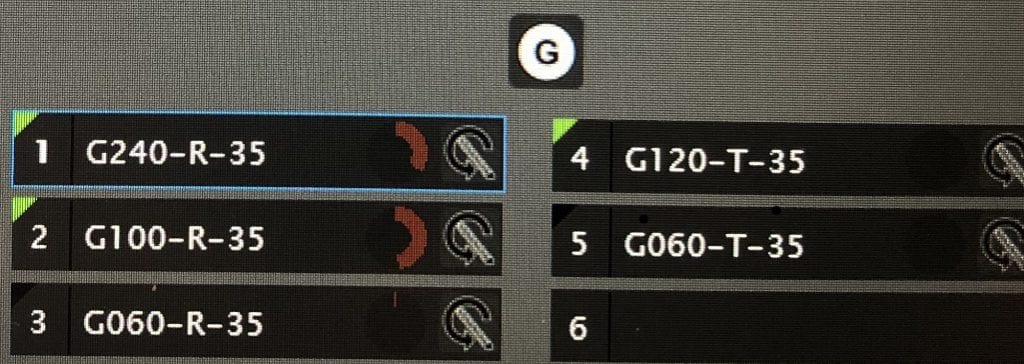
Here you can see how there are 5 drills for the machine. The top tier, consisting of 3 drills, labeled G240, G100, and G060 are all labeled as R. The G120-T and G060-T are used only for a screw access holes